Fern & Fringe
A demo salon dashboard that shows the day's bookings by stylist, checks clients in and keeps a running tally of takings. The salon is fictional.
Fern & Fringe is a fictional business. This is a KP Labs concept project, built to show what we can do, not a real client's website.
The brief
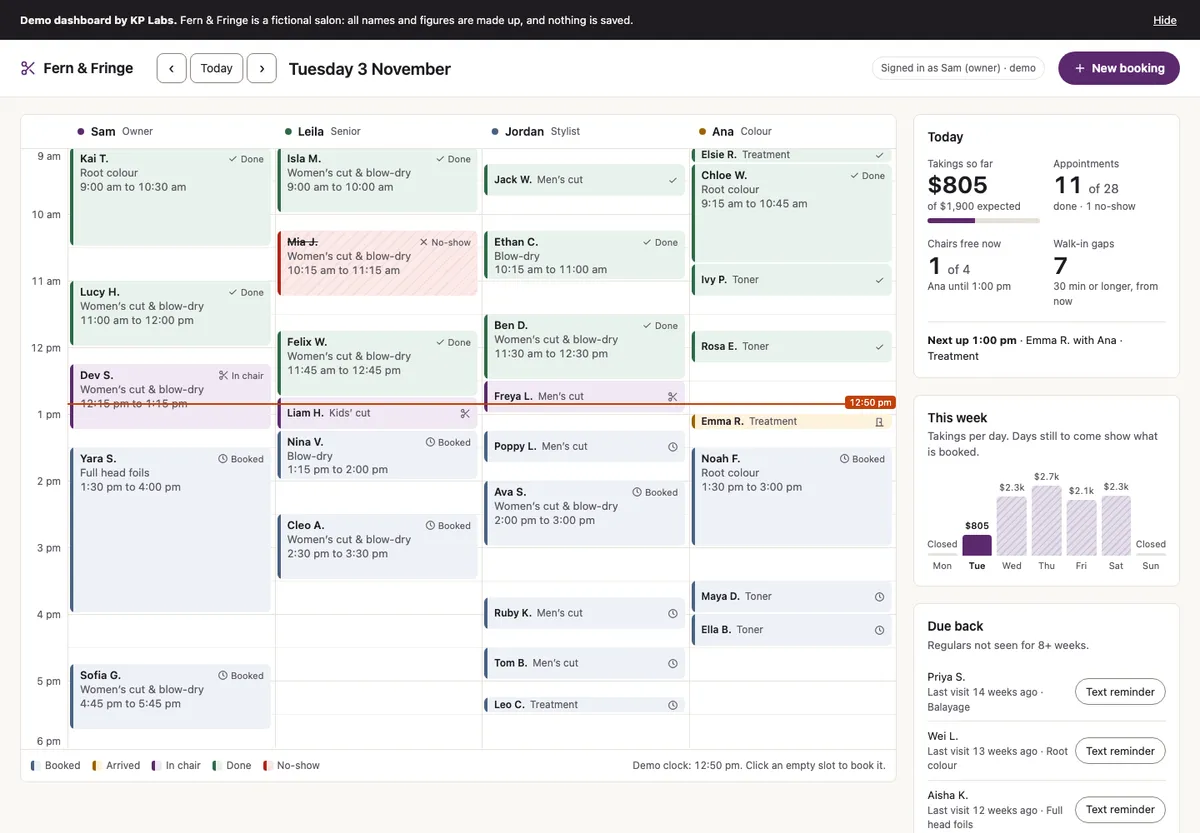
Fern & Fringe is a fictional hair salon. We made it as a KP Labs demo to show what we can build for appointment-based businesses, beyond brochure websites. Many small salons still run the day from a paper diary, texts or a clunky app. Between clients, the owner needs to see three things at a glance: who is in which chair, who is next, and how the day is going.
What we built
One screen that works like the salon’s appointment book.
- A day calendar with a column for each stylist, like a paper diary, and a line showing the time now. Each booking shows the client’s name first, because that is how stylists talk about their day.
- Five statuses (Booked, Arrived, In chair, Done and No-show), each with a colour, a label and an icon.
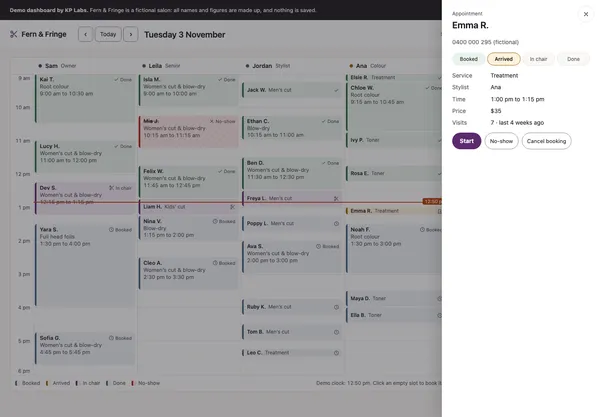
- Click a booking to check the client in, start the service and mark it done. The price is added to the day’s takings.
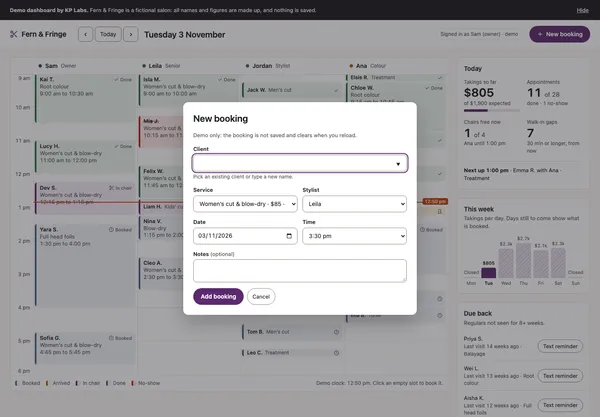
- A new-booking form that only offers free times. Clicking an empty slot starts a booking there.
- Today’s takings, chairs free now and who is next, plus a “Due back” list of regulars who haven’t been in for a while.
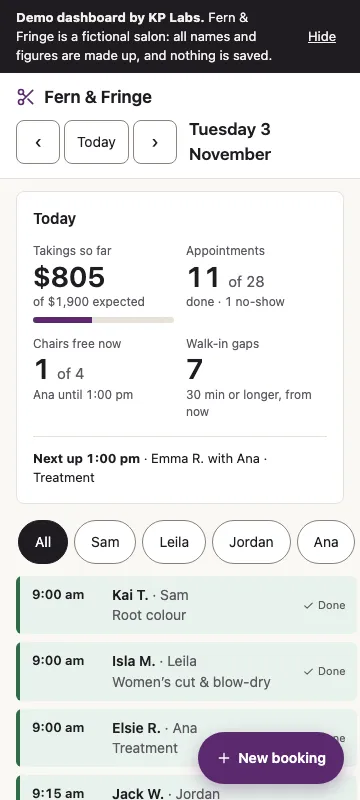
On a phone, the calendar becomes a list with a tab for each stylist.
Everything is made up and generated in the browser. Nothing is saved, and the reminder button sends nothing.
What a real salon would get
A real salon needs real bookings, staff logins and text reminders. For most salons we would set up a booking system they already know and build the website around it. For a custom system, this front end would get a small backend, logins and online booking, quoted as a larger project.
Light and careful
The dashboard is plain HTML, CSS and JavaScript, with no framework, no backend and under 25 KB of JavaScript. It loads nothing from other companies’ servers. We built it with WCAG 2.2 AA in mind: it works from the keyboard, respects reduced-motion settings and never shows status by colour alone. On our local build, Lighthouse scored 100 for performance and accessibility on mobile and desktop, with no layout shift. Known gaps: on desktop, the shortest bookings are smaller than the WCAG 2.2 minimum target size, and we haven’t tested it with a screen reader yet. It is marked as a demo throughout and hidden from search engines.
Key screens
Built with
- Plain HTML
- CSS
- Vanilla JavaScript
- No framework or backend
- Under 25 KB of JavaScript
Want something like this?
Tell us about your business and we'll send a fixed quote after a free chat.
Get a free quote